

Tạo Hatch boundary bằng API (c#)
1 Thêm class HatchExts.cs
Lưu mã sau dưới dạng tệp tin HatchExts.cs
Code:
using Autodesk.AutoCAD.DatabaseServices;
using Autodesk.AutoCAD.Geometry;
using System;
using System.Reflection;

namespace HatchBoundaries
{
    internal static class HatchExts
    {
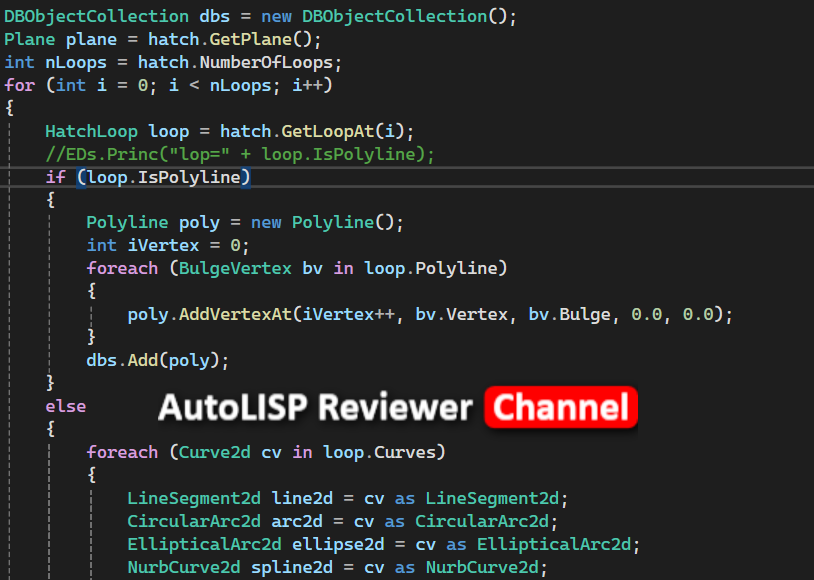
        public static DBObjectCollection GetBoundaries(this Hatch hatch)
        {
            DBObjectCollection dbs = new DBObjectCollection();
            Plane plane = hatch.GetPlane();
            int nLoops = hatch.NumberOfLoops;
            for (int i = 0; i < nLoops; i++)
            {
                HatchLoop loop = hatch.GetLoopAt(i);
                //EDs.Princ("lop=" + loop.IsPolyline);
                if (loop.IsPolyline)
                {
                    Polyline poly = new Polyline();
                    int iVertex = 0;
                    foreach (BulgeVertex bv in loop.Polyline)
                    {
                        poly.AddVertexAt(iVertex++, bv.Vertex, bv.Bulge, 0.0, 0.0);
                    }
                    dbs.Add(poly);
                }
                else
                {
                    foreach (Curve2d cv in loop.Curves)
                    {
                        LineSegment2d line2d = cv as LineSegment2d;
                        CircularArc2d arc2d = cv as CircularArc2d;
                        EllipticalArc2d ellipse2d = cv as EllipticalArc2d;
                        NurbCurve2d spline2d = cv as NurbCurve2d;
                        if (line2d != null)
                        {
                            Line ent = new Line(line2d.StartPoint.To3d(), line2d.EndPoint.To3d());
                            dbs.Add(ent);
                        }
                        else if (arc2d != null)
                        {
                            if (arc2d.IsClosed() || Math.Abs(arc2d.EndAngle - arc2d.StartAngle) < 1e-5)
                            {
                                Circle ent = new Circle(new Point3d(plane, arc2d.Center), plane.Normal, arc2d.Radius);
                                dbs.Add(ent);
                            }
                            else
                            {
                                if (arc2d.IsClockWise)
                                {
                                    arc2d = arc2d.GetReverseParameterCurve() as CircularArc2d;
                                }
                                double angle = new Vector3d(plane, arc2d.ReferenceVector).AngleOnPlane(plane);
                                double startAngle = arc2d.StartAngle + angle;
                                double endAngle = arc2d.EndAngle + angle;
                                Arc ent = new Arc(new Point3d(plane, arc2d.Center), plane.Normal, arc2d.Radius, startAngle, endAngle);
                                dbs.Add(ent);
                            }
                        }
                        else if (ellipse2d != null)
                        {
                            //-------------------------------------------------------------------------------------------
                            // Bug: Can not assign StartParam and EndParam of Ellipse:
                            // Ellipse ent = new Ellipse(new Point3d(plane, e2d.Center), plane.Normal,
                            //      new Vector3d(plane,e2d.MajorAxis) * e2d.MajorRadius,
                            //      e2d.MinorRadius / e2d.MajorRadius, e2d.StartAngle, e2d.EndAngle);
                            // ent.StartParam = e2d.StartAngle;
                            // ent.EndParam = e2d.EndAngle;
                            // error CS0200: Property or indexer 'Autodesk.AutoCAD.DatabaseServices.Curve.StartParam' cannot be assigned to -- it is read only
                            // error CS0200: Property or indexer 'Autodesk.AutoCAD.DatabaseServices.Curve.EndParam' cannot be assigned to -- it is read only
                            //---------------------------------------------------------------------------------------------
                            // Workaround is using Reflection
                            //
                            Ellipse ent = new Ellipse(new Point3d(plane, ellipse2d.Center), plane.Normal,
                                 new Vector3d(plane, ellipse2d.MajorAxis) * ellipse2d.MajorRadius,
                                 ellipse2d.MinorRadius / ellipse2d.MajorRadius, ellipse2d.StartAngle, ellipse2d.EndAngle);

                            ent.GetType().InvokeMember("StartParam", BindingFlags.SetProperty, null,
                              ent, new object[] { ellipse2d.StartAngle });
                            ent.GetType().InvokeMember("EndParam", BindingFlags.SetProperty, null,
                              ent, new object[] { ellipse2d.EndAngle });

                            dbs.Add(ent);
                        }
                        else if (spline2d != null)
                        {
                            if (spline2d.HasFitData)
                            {
                                NurbCurve2dFitData n2fd = spline2d.FitData;
                                using (Point3dCollection p3ds = new Point3dCollection())
                                {
                                    foreach (Point2d p in n2fd.FitPoints) p3ds.Add(new Point3d(plane, p));
                                    Spline ent = new Spline(p3ds, new Vector3d(plane, n2fd.StartTangent), new Vector3d(plane, n2fd.EndTangent),
                                      /* n2fd.KnotParam, */  n2fd.Degree, n2fd.FitTolerance.EqualPoint);

                                    dbs.Add(ent);
                                }
                            }
                            else
                            {
                                NurbCurve2dData n2fd = spline2d.DefinitionData;
                                using (Point3dCollection p3ds = new Point3dCollection())
                                {
                                    DoubleCollection knots = new DoubleCollection(n2fd.Knots.Count);
                                    foreach (Point2d p in n2fd.ControlPoints) p3ds.Add(new Point3d(plane, p));
                                    foreach (double k in n2fd.Knots) knots.Add(k);
                                    Spline ent = new Spline(n2fd.Degree, n2fd.Rational,
                                        spline2d.IsClosed(), spline2d.IsPeriodic(out double period),
                                        p3ds, knots, n2fd.Weights, n2fd.Knots.Tolerance, n2fd.Knots.Tolerance);

                                    dbs.Add(ent);
                                }
                            }
                        }
                    }
                    dbs = dbs.TryCombine();
                }
            }

            //EDs.Princ("ABCDFD fsd fsd fdsf sdf");
            foreach (DBObject d in dbs)
            {
                //EDs.Princ("FromHatch:" + d.GetType());
                Entity e = d as Entity;
                try
                {
                    e.Layer = hatch.Layer;
                    e.ColorIndex = hatch.ColorIndex;
                }
                catch { }
            }
            return dbs;
        }

    }
}
2 Thêm class CurveExts.cs
Lưu mã sau dưới dạng tệp tin CurveExts.cs
Code:
using Autodesk.AutoCAD.DatabaseServices;
using Autodesk.AutoCAD.Geometry;
using System;
using System.Collections.Generic;
using System.Linq;
using System.Text;
using System.Threading.Tasks;
namespace HatchBoundaries
{
internal static class CurveExts
{
public static DBObjectCollection TryCombine(this DBObjectCollection cvs, bool samelayer = false)
{
DBObjectCollection res = new DBObjectCollection();
if (cvs.Count < 2) return cvs;
// Explode Region -> collection of Curves / Regions
// Create a plane to convert 3D coords
// into Region coord system
bool finished = false;
while (!finished && cvs.Count > 0)
{
// Count the Curves and the non-Curves, and find
// the index of the first Curve in the collection
int cvCnt = 0, nonCvCnt = 0, fstCvIdx = -1;
for (int i = 0; i < cvs.Count; i++)
{
Curve tmpCv = cvs[i] as Curve;
if (tmpCv == null)
nonCvCnt++;
else
{
if (tmpCv.Closed || tmpCv.StartPoint.DistanceTo(tmpCv.EndPoint) < 0.000001)
{
res.Add(tmpCv);
cvs.Remove(tmpCv);
// Decrement, so we don't miss an item
i--;
}
else
{
cvCnt++;
if (fstCvIdx == -1) fstCvIdx = i;
}
}
}
if (fstCvIdx >= 0)
{
// For the initial segment take the first
// Curve in the collection
Curve fstCv = (Curve)cvs[fstCvIdx];
// The resulting Polyline
Polyline p = new Polyline();
p.XData = fstCv.XData;
// Set common entity properties from the Region
// Add the first two vertices, but only set the
// bulge on the first (the second will be set
// retroactively from the second segment)
// We also assume the first segment is counter-
// clockwise (the default for arcs), as we're
// not swapping the order of the vertices to
// make them fit the Polyline's order
//EDs.Princ(fstCv.StartPoint.ToString() + " d2=" + fstCv.StartPoint.To2d());
p.AddVertexAt(p.NumberOfVertices, fstCv.StartPoint.To2d(), BulgeFromCurve(fstCv, false), 0, 0);
p.AddVertexAt(p.NumberOfVertices, fstCv.EndPoint.To2d(), 0, 0, 0);
cvs.Remove(fstCv);
// The next point to look for
Point3d nextPt = fstCv.EndPoint;
// We no longer need the curve
try
{
p.Layer = fstCv.Layer;
}
catch { }
//fstCv.Dispose();
// Find the line that is connected to
// the next point
// If for some reason the lines returned were not
// connected, we could loop endlessly.
// So we store the previous curve count and assume
// that if this count has not been decreased by
// looping completely through the segments once,
// then we should not continue to loop.
// Hopefully this will never happen, as the curves
// should form a closed loop, but anyway...
// Set the previous count as artificially high,
// so that we loop once, at least.
int prevCnt = cvs.Count + 1;
while (cvs.Count > nonCvCnt && cvs.Count < prevCnt)
{
prevCnt = cvs.Count;
foreach (DBObject obj in cvs)
{
Curve cv = obj as Curve;
if (cv != null && (!samelayer || cv.Layer == p.Layer))
{
// If one end of the curve connects with the
// point we're looking for...
if (cv.StartPoint.Equal(nextPt) || cv.EndPoint.Equal(nextPt))
{
// Calculate the bulge for the curve and
// set it on the previous vertex
double bulge = BulgeFromCurve(cv, cv.EndPoint.Equal(nextPt));
if (bulge != 0.0) p.SetBulgeAt(p.NumberOfVertices - 1, bulge);
// Reverse the points, if needed
if (cv.StartPoint.Equal(nextPt))
nextPt = cv.EndPoint;
else
// cv.EndPoint == nextPt
nextPt = cv.StartPoint;
// Add out new vertex (bulge will be set next
// time through, as needed)
p.AddVertexAt(p.NumberOfVertices, nextPt.To2d(), 0, 0, 0);
// Remove our curve from the list, which
// decrements the count, of course
cvs.Remove(cv);
//cv.Dispose();
break;
}
}
}
}
p.ReverseCurve();
nextPt = p.EndPoint;
// We no longer need the curve
// Find the line that is connected to
// the next point
// If for some reason the lines returned were not
// connected, we could loop endlessly.
// So we store the previous curve count and assume
// that if this count has not been decreased by
// looping completely through the segments once,
// then we should not continue to loop.
// Hopefully this will never happen, as the curves
// should form a closed loop, but anyway...
// Set the previous count as artificially high,
// so that we loop once, at least.
prevCnt = cvs.Count + 1;
while (cvs.Count > nonCvCnt && cvs.Count < prevCnt)
{
prevCnt = cvs.Count;
foreach (DBObject obj in cvs)
{
Curve cv = obj as Curve;
if (cv != null && (!samelayer || cv.Layer == p.Layer))
{
// If one end of the curve connects with the
// point we're looking for...
if (cv.StartPoint.Equal(nextPt) || cv.EndPoint.Equal(nextPt))
{
// Calculate the bulge for the curve and
// set it on the previous vertex
double bulge = BulgeFromCurve(cv, cv.EndPoint.Equal(nextPt));
if (bulge != 0.0) p.SetBulgeAt(p.NumberOfVertices - 1, bulge);
// Reverse the points, if needed
if (cv.StartPoint.Equal(nextPt))
nextPt = cv.EndPoint;
else
// cv.EndPoint == nextPt
nextPt = cv.StartPoint;
// Add out new vertex (bulge will be set next
// time through, as needed)
p.AddVertexAt(p.NumberOfVertices, nextPt.To2d(), 0, 0, 0);
// Remove our curve from the list, which
// decrements the count, of course
cvs.Remove(cv);
//cv.Dispose();
break;
}
}
}
}
// Once we have added all the Polyline's vertices,
// transform it to the original region's plane
//p.TransformBy(Matrix3d.PlaneToWorld(pl));
p.ReverseCurve();
res.Add(p);
if (cvs.Count == nonCvCnt) finished = true;
}
// If there are any Regions in the collection,
// recurse to explode and add their geometry
if (nonCvCnt > 0 && cvs.Count > 0)
{
foreach (DBObject obj in cvs)
{
Region subReg = obj as Region;
if (subReg != null)
{
res.Add(subReg.GetPolylines());
cvs.Remove(subReg);
//subReg.Dispose();
}
}
}
if (cvs.Count == 0) finished = true;
}
return res;
}
public static double BulgeFromCurve(this Curve cv, bool clockwise)
{
double bulge = 0.0;
Arc a = cv as Arc;
if (a != null)
{
double newStart;
// The start angle is usually greater than the end,
// as arcs are all counter-clockwise.
// (If it isn't it's because the arc crosses the
// 0-degree line, and we can subtract 2PI from the
// start angle.)
if (a.StartAngle > a.EndAngle)
newStart = a.StartAngle - 8 * Math.Atan(1);
else
newStart = a.StartAngle;
// Bulge is defined as the tan of
// one fourth of the included angle
bulge = Math.Tan((a.EndAngle - newStart) / 4);
// If the curve is clockwise, we negate the bulge
if (clockwise) bulge = -bulge;
}
return bulge;
}
public static DBObjectCollection Explode(this Entity e)
{
DBObjectCollection dbs = new DBObjectCollection();
try
{
if (e is Line || e is Arc || e is Circle || e is Ellipse || e is DBText)
dbs.Add(e.Clone() as DBObject);
else
e.Explode(dbs);
}
catch (Exception ee)
{
//EDs.Princ("Explode: " + ee.Message);
dbs.Add(e.Clone() as DBObject);
}
return dbs;
}
public static DBObjectCollection GetPolylines(this Region reg)
{
// We will return a collection of entities
// (should include closed Polylines and other
// closed curves, such as Circles)
DBObjectCollection res = new DBObjectCollection();
if (reg == null || reg.Area == 0) return res;
// Explode Region -> collection of Curves / Regions
DBObjectCollection cvs = reg.Explode();
foreach (DBObject d in cvs)
if (d is Region r)
cvs.Add(r.GetPolylines());
// Create a plane to convert 3D coords
// into Region coord system
return cvs.TryCombine(false);
}
public static void Add(this DBObjectCollection dbs, DBObjectCollection dbs0)
{
foreach (DBObject d in dbs0)
dbs.Add(d);
}
}
}3 Thêm class PointExts.cs
Lưu mã sau dưới dạng tệp tin PointExts.cs
Code:
using Autodesk.AutoCAD.Geometry;

namespace HatchBoundaries
{
    internal static class PointExts
    {
        public static Point2d To2d(this Point3d p)
        {
            return new Point2d(p.X, p.Y);
        }

        public static bool Equal(this Point3d pt, Point3d thatpt, double tol = 0.000001)
        {
            return pt.DistanceTo(thatpt) < tol;
        }

        public static Point3d To3d(this Point2d p)
        {
            return new Point3d(p.X, p.Y, 0);
        }
    }
}
4 Thêm class MyCommands.cs
Lưu mã sau dưới dạng tệp tin MyCommands.cs
Code:
// (C) Copyright 2025 by
//
using Autodesk.AutoCAD.ApplicationServices;
using Autodesk.AutoCAD.DatabaseServices;
using Autodesk.AutoCAD.EditorInput;
using Autodesk.AutoCAD.Geometry;
using Autodesk.AutoCAD.Runtime;
using System;

// This line is not mandatory, but improves loading performances
[assembly: CommandClass(typeof(HatchBoundaries.MyCommands))]

namespace HatchBoundaries
{
    // This class is instantiated by AutoCAD for each document when
    // a command is called by the user the first time in the context
    // of a given document. In other words, non static data in this class
    // is implicitly per-document!
    public class MyCommands
    {
        // Modal Command with localized name
        [CommandMethod("HatchBoundaryByAJS", CommandFlags.Modal)]
        public void Generate_HatchBoundaries_By_AJS() // This method can have any name
        {
            // Put your command code here
            Document doc = Application.DocumentManager.MdiActiveDocument;
            Editor ed;
            if (doc != null)
            {
                ed = doc.Editor;
                ed.WriteMessage("Generate HatchBoundaries By AJS command.");
                var per = ed.GetEntity("\nSelect a hatch: ");
                if (per.Status == PromptStatus.OK && per.ObjectId.ObjectClass.Name.Contains("Hatch"))
                {
                    using (var tr = HostApplicationServices.WorkingDatabase.TransactionManager.StartTransaction())
                    {
                        var btr = tr.GetObject(HostApplicationServices.WorkingDatabase.CurrentSpaceId, OpenMode.ForWrite) as BlockTableRecord;

                        var hatch = tr.GetObject(per.ObjectId, OpenMode.ForRead) as Hatch;
                        if (hatch != null)
                        {
                            var dbs = hatch.GetBoundaries();
                            foreach (Entity e in dbs)
                            {
                                btr.AppendEntity(e);
                                tr.AddNewlyCreatedDBObject(e, true);
                            }
                        }

                        tr.Commit();
                    }
                }

                ed.WriteMessage("By AJS@lisp.vn");
            }
        }
    }
}
Link tải (Solution + dll)

---------------------------------------------------------------------------------------------
Mọi thông tin xin liên hệ Fanpage AutoLISP Thật là đơn giản!
Cảm ơn bạn đã theo dõi!
Không có nhận xét nào:
Đăng nhận xét